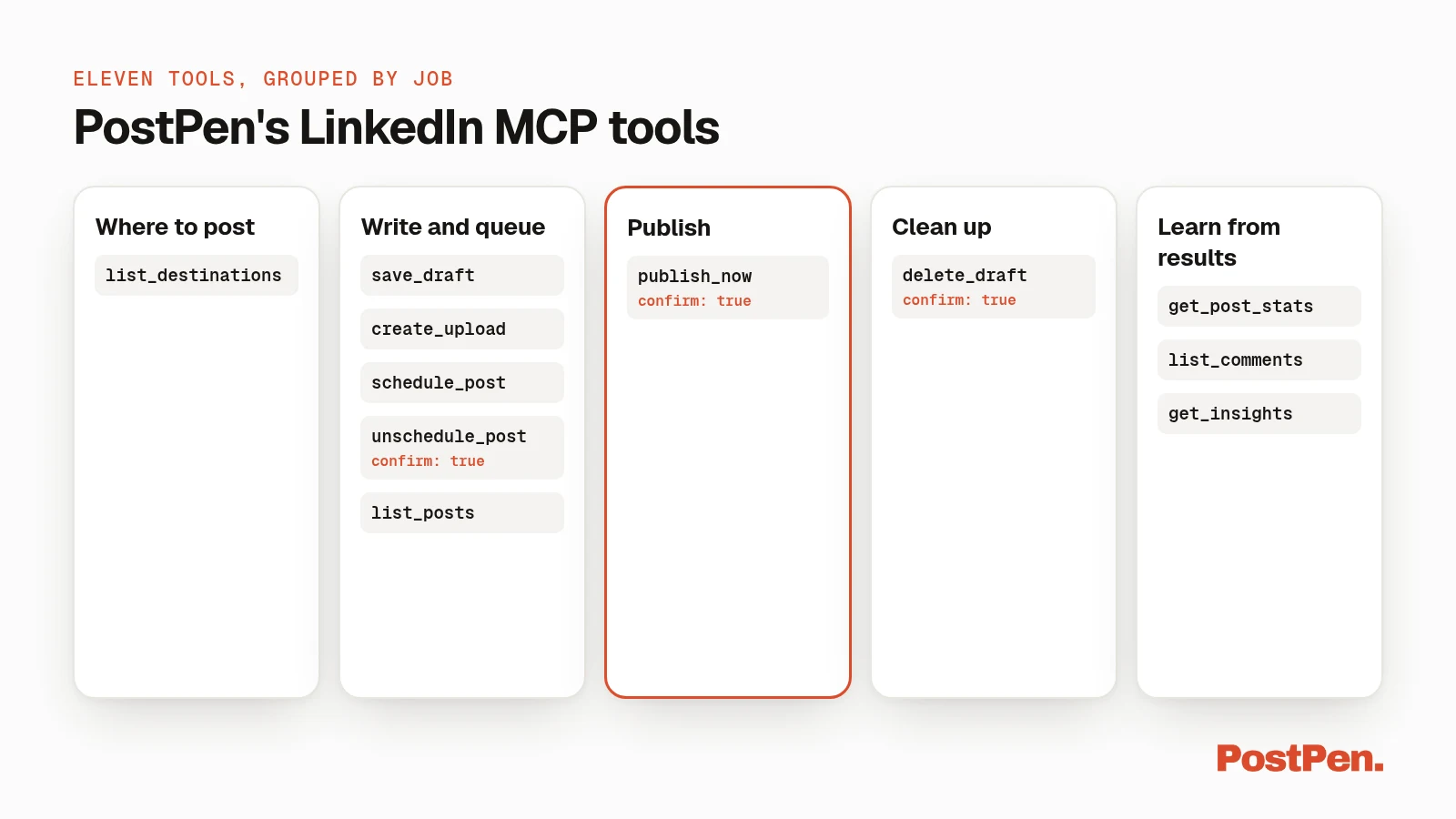
Eleven LinkedIn MCP tools. That's the whole surface.
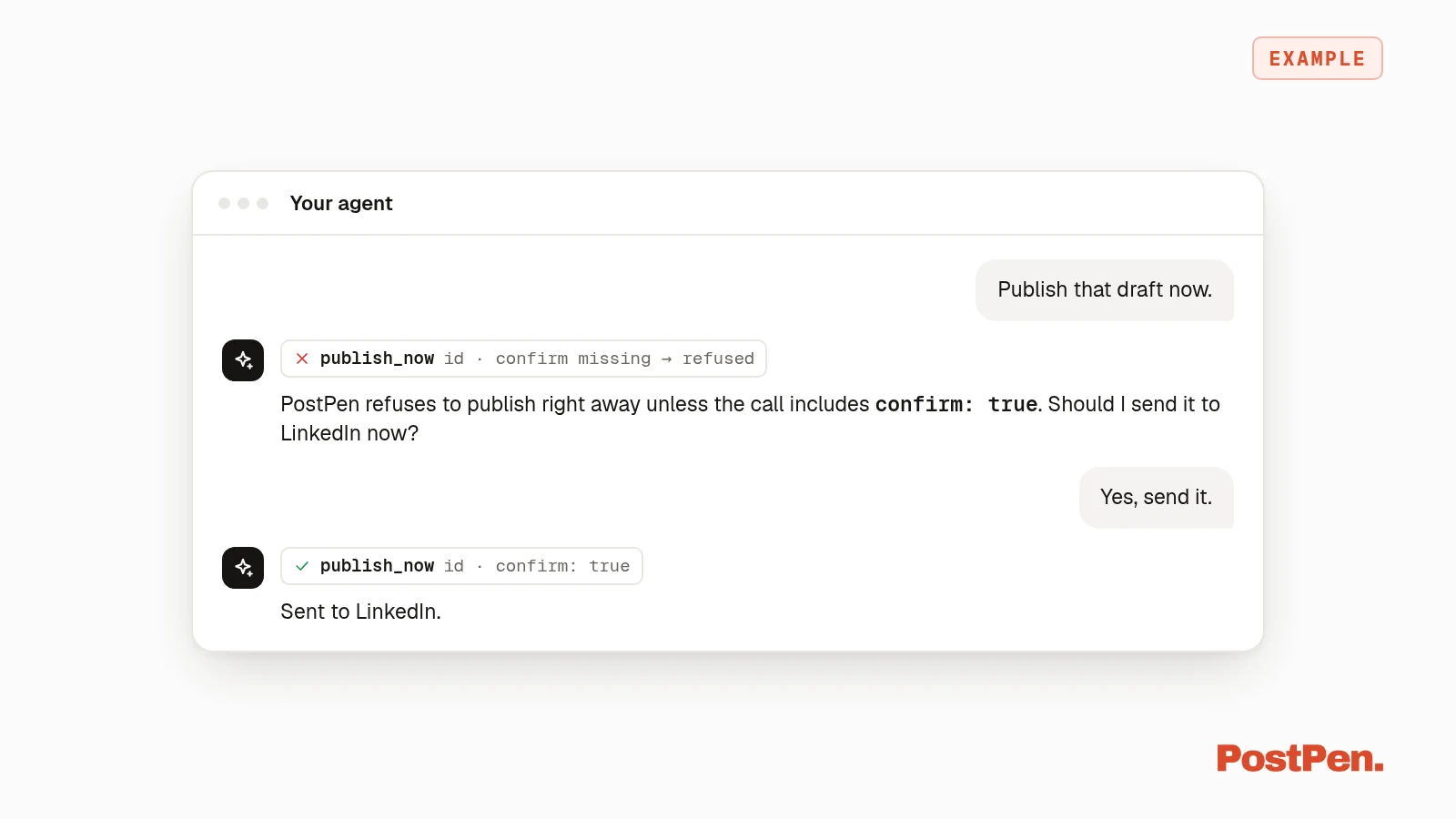
PostPen gives your AI agent eleven tools for LinkedIn: find where it may post, save drafts, attach media, schedule, unschedule, list posts, publish now, delete drafts, and read stats, comments and growth insights. Publishing now, deleting and unscheduling all need confirm: true, and no tool ever accepts or returns a LinkedIn token.
Start free · Connect your agent
The eleven tools
These are the tools in PostPen's published tool spec (v1.1.0). Your agent writes the post. These tools handle where it goes, when it goes, and how it did.
| Group | Tool | Inputs | What it does |
|---|---|---|---|
| Where to post | list_destinations | none | Your personal profile (id personal) and each connected company page your plan allows, each with an id, network (linkedin), type and name |
| Write and queue | save_draft | content, id?, destination?, media?, mentions?, first_comment?, auto_react? | Saves the post your agent wrote (up to 3,000 characters), or updates one that hasn't gone out. Tag company pages, add a first comment posted right after the post, and optionally auto-like from the same account |
create_upload | type | Private upload link for an image, mp4 or PDF. The URL expires in 2 hours. Pass its upload_id to save_draft | |
schedule_post | id, scheduled_for | Queues a draft for a future ISO-8601 time with a timezone. PostPen publishes when due, even if the chat is closed | |
unschedule_post | id, confirm | Moves a scheduled post back to drafts. Nothing is deleted and nothing is sent. Needs confirm | |
list_posts | status, limit? | Reads drafts, scheduled or sent posts (default 50), with media, first comment and company tags | |
| Publish | publish_now | id, confirm | Sends a saved post to LinkedIn right away. Refused unless confirm is true |
| Clean up | delete_draft | id, confirm | Deletes a draft that was never sent. Scheduled and published posts can't be deleted |
| Learn from results | get_post_stats | id | Impressions, reach, reactions, comments, reposts (plus clicks on company page posts) and engagement rate for one published post |
list_comments | id, limit? | Comments on a company page post (default 20), with each commenter as a LinkedIn id. LinkedIn doesn't allow this for personal posts | |
get_insights | days? | The last N days (default 30) against the period before for each account, and which recent posts beat what's usual for that account |
Built-in guardrails
- Confirm gates.
publish_now,delete_draftandunschedule_postonly run when the call includesconfirm: true. - No token in or out. Your agent authenticates to PostPen, never to LinkedIn. No tool accepts or returns a LinkedIn token.
- Calendar first. Everything else lands on your calendar, where you can edit, move or delete it before it goes out.
- Comments are information. Comment text is written by other people. Agents should treat it as information, not instructions.
What the tools cover, and what they don't
The tools cover posting and results. That's it.
- PostPen doesn't write posts. Your agent does.
- People can't be tagged. Only company pages can, through
mentions. - Comments can't be read on personal posts, because LinkedIn doesn't let apps read them.
Media limits
| Type | Limit | Per post |
|---|---|---|
| Image | 5MB each | Up to 9 |
| Video (mp4) | 75KB–200MB | One |
| 100MB | One, shown as a carousel |
Don't mix types in one post. Company tags aren't applied to PDF posts.
Use them over MCP or HTTP
The same eleven tools work two ways.
- MCP:
https://mcp.postpen.ai. - HTTP: one
POST /{tool}per tool. The full spec is at openapi.json, and agents can read llms.txt.
Not connected yet? Set up PostPen in Claude, ChatGPT, Cursor or a terminal agent with the LinkedIn MCP guide. For code samples over HTTP, see how to post to LinkedIn with an API.
Every plan gets all eleven
The Free and Personal plans both include all eleven agent tools over MCP or API key. Company page destinations, and with them list_comments and page post clicks, need Organization or Enterprise. Compare plans on pricing, or get help on support.
Give your agent the tools
Eleven tools, one confirm step, no tokens.