How PostPen works
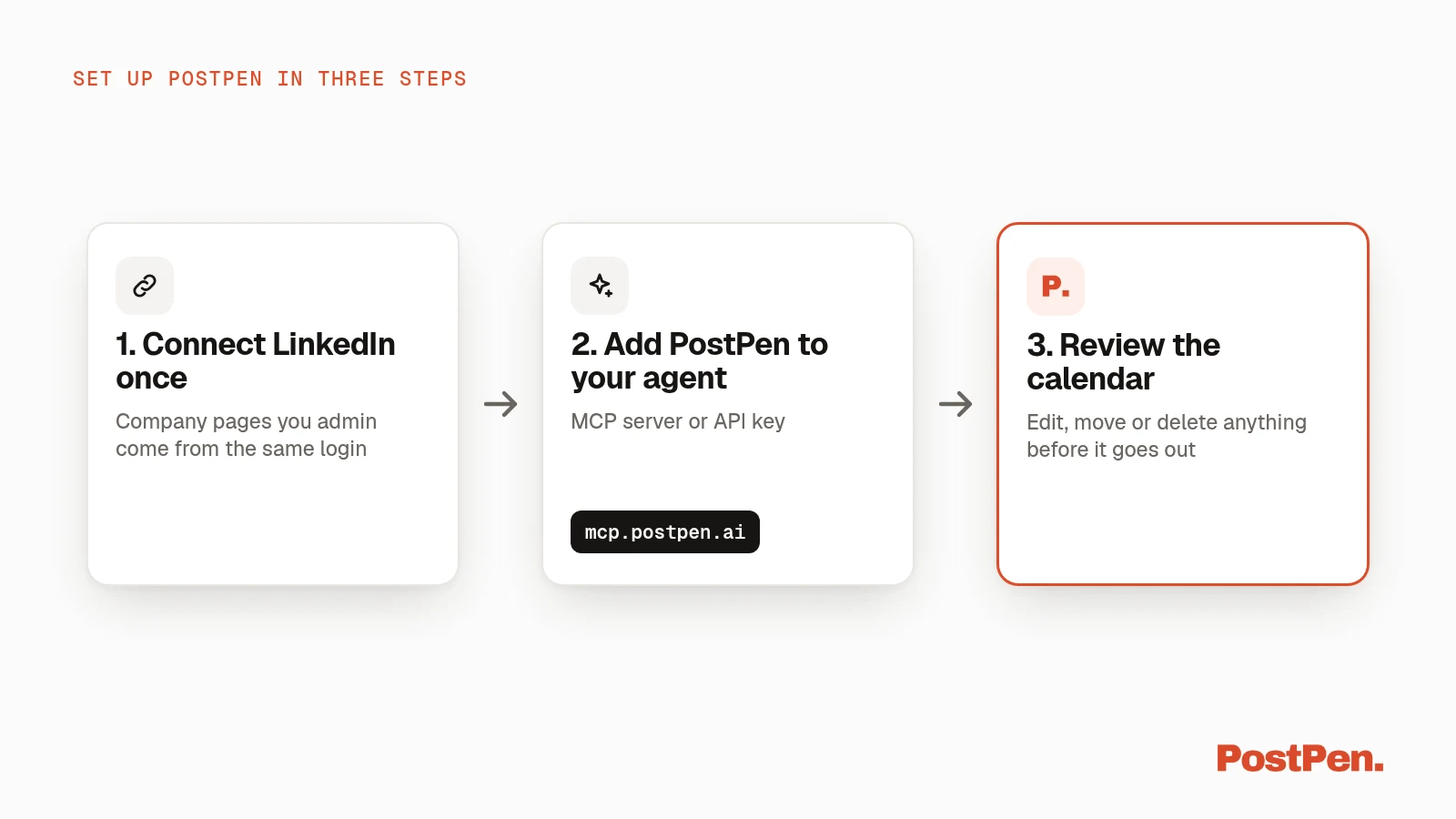
Your agent writes the post. PostPen holds your LinkedIn connection, queues the post, and publishes it to your personal profile or company pages at the time you set. Setup takes three steps: connect LinkedIn once, add PostPen to your agent, and review the calendar.
Start free · Connect your agent
1. Connect LinkedIn once
Sign in to PostPen and connect LinkedIn. The company pages you admin come from the same login, so there's no second account to manage.
Company pages are included on the Organization and Enterprise plans. See pricing for what each plan covers.
2. Add PostPen to your agent
Add PostPen as an MCP server using https://mcp.postpen.ai. Your agent opens a browser window, you sign in to PostPen and click Allow, and you're sent back to the agent.
It works with anything that can add a remote MCP server: Grok Bot, Claude, ChatGPT, Muse by Meta, Cursor, VS Code, Claude Code, Codex and Gemini CLI.
Agent can't open a browser? Create an API key at app.postpen.ai/agents and send it as a bearer token. The API guide shows how.
Step-by-step for Claude, ChatGPT, Cursor and terminal agents is in the LinkedIn MCP guide.
3. Review the calendar
Drafts, scheduled and published posts land on one month view at app.postpen.ai. You can edit, move, send back to drafts or delete anything before it goes out.
If a post fails, the calendar shows the reason.
What happens when your agent schedules a post
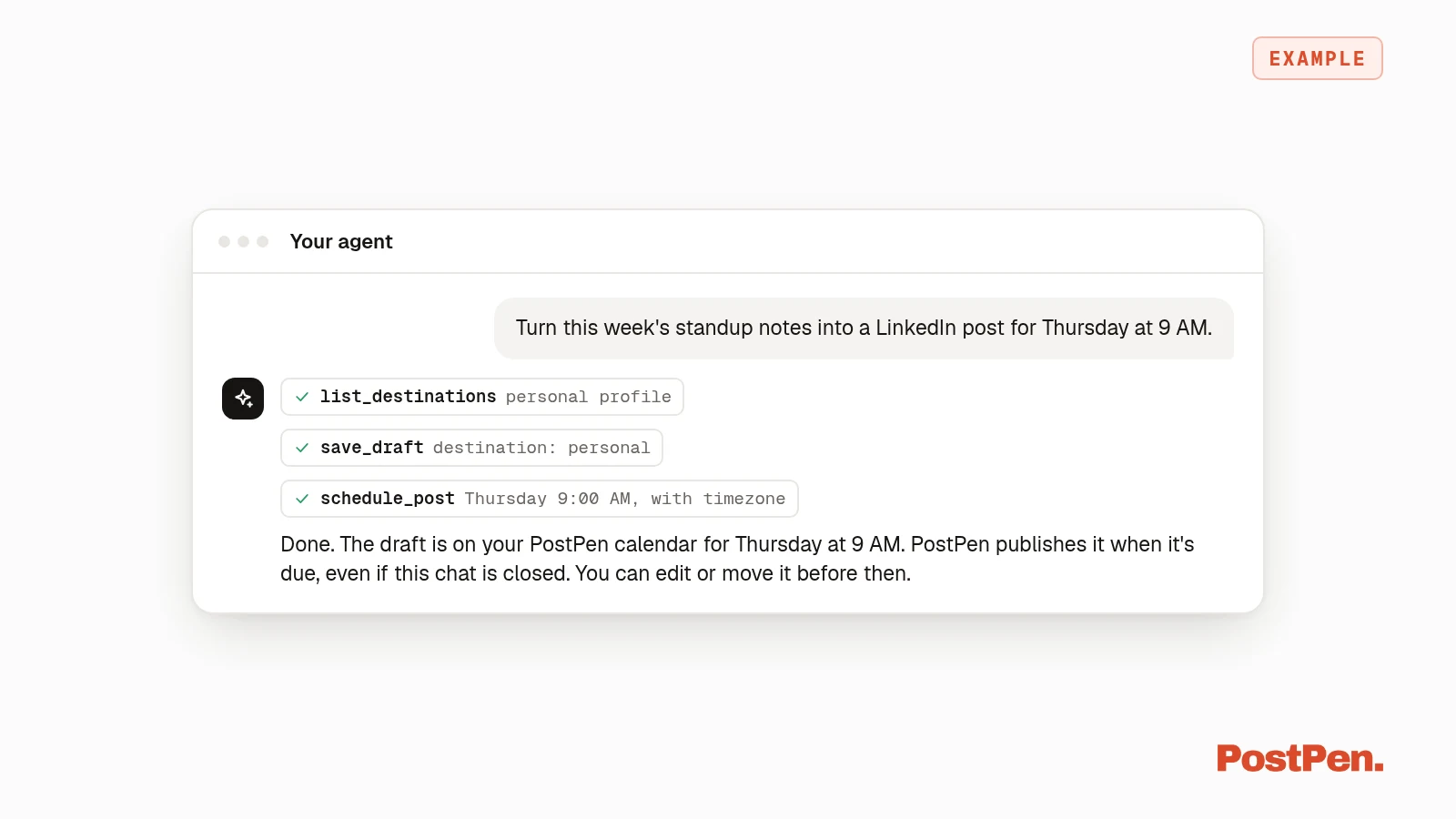
Say you ask your agent to turn this week's standup notes into a post for Thursday at 9 AM. Here's the flow:
list_destinationstells the agent where it may post: your profile and each connected company page.save_draftsaves the text your agent wrote (up to 3,000 characters), with optional media, a first comment and company page tags.schedule_postqueues the draft for a future time, with a timezone.- PostPen publishes when it's due, even if the chat is closed.
- Afterward, the agent can read results with
get_post_statsandget_insights.
That's most of what PostPen does. See all eleven tools.
Want to know how this compares with LinkedIn's own option? Read PostPen vs LinkedIn's built-in scheduler.
You stay in control
- No LinkedIn token for the agent. The connection stays on PostPen's server. No tool takes or returns a token.
- Publishing needs a confirm.
publish_nowfails withoutconfirm: true. Everything else lands on the calendar first. - Revoke any time. Remove the connector, revoke the API key on
app.postpen.ai/agents, or disconnect LinkedIn. Steps are on support.
Post it yourself too
You can write and schedule posts by hand in the app. You and your agents share the same queue, so everything shows up in one place.
What it costs
| Plan | Price | Where you can publish |
|---|---|---|
| Free | $0 | 1 personal profile, 10 published posts a month, all eleven tools |
| Personal | $9/month | Your personal profile |
| Organization | $29/month | Personal profile + 2 company pages |
| Enterprise | Custom | More than 2 company pages |
Yearly billing saves up to 28%. Details are on pricing.
Get started
Connect LinkedIn, add PostPen to your agent, and let it queue the first post. You review it before it goes out.