
Use your own AI agent as your LinkedIn post generator
By PostPen Team ·
You don't need a separate AI LinkedIn post generator if you already use Claude, ChatGPT or Grok Bot. Give your agent context about you and your audience, one clear idea, a structure (hook, body, takeaway) and LinkedIn's formatting rules, then edit the draft in your own voice.
Your agent does the writing; PostPen doesn't write anything. It takes the finished post and schedules or publishes it to LinkedIn.
Start free. Your agent writes the post, and PostPen puts it on your calendar and publishes it.
This guide gives you a context block, a master prompt, hook patterns, formatting tips and a small prompt library. Copy them into the assistant you already use.
Why your own agent works as a LinkedIn post generator
Your agent already has context. It may have your past chats, the files you've shared, or a project with your notes and docs.
You also stay in control of the model, the instructions and the voice. If a draft sounds off, you change the prompt, not the tool.
The catch is that a good post needs good input. The next sections show what to give your agent so your opening draft is close to usable.
Give your agent the right context first
Write a short "about me" block once and reuse it. Save it in a project, a custom instruction, or a note you paste at the start of a chat.
About me (use this for every LinkedIn post you write for me):
- Role: (your role and company, in one line)
- Audience: (who reads my posts, for example founders of B2B SaaS startups)
- Topics I post about: (3 to 5 topics)
- How I write: plain, direct, short sentences, first person
- Words I never use: (list them)
- Three posts I wrote myself (match this voice, not a generic one):
  1. (paste a post)
  2. (paste a post)
  3. (paste a post)
Swap each part in parentheses for your own details before you save it. The sample posts matter most: they show your agent how you actually sound.
A prompt that produces a usable first draft
Once your agent has the context block, use one master prompt for each post. Keep each post to one idea, and give it a real story or number from your own work.
Write a LinkedIn post for my personal profile.

Idea: (one idea, in one sentence)
Story or data point: (something specific that happened, or a number from my work)
Audience: (who should care)

Structure:
1. Hook: one or two short lines that make the reader want the next line.
2. Body: the story or point, in short paragraphs of one to three sentences.
3. Takeaway: one clear lesson or question for the reader.

Rules:
- Under 3,000 characters in total.
- Plain text. Short paragraphs with a blank line between them.
- No hashtag lists. Zero to three relevant hashtags at most.
- Don't invent facts, numbers or quotes. Use only what I gave you.
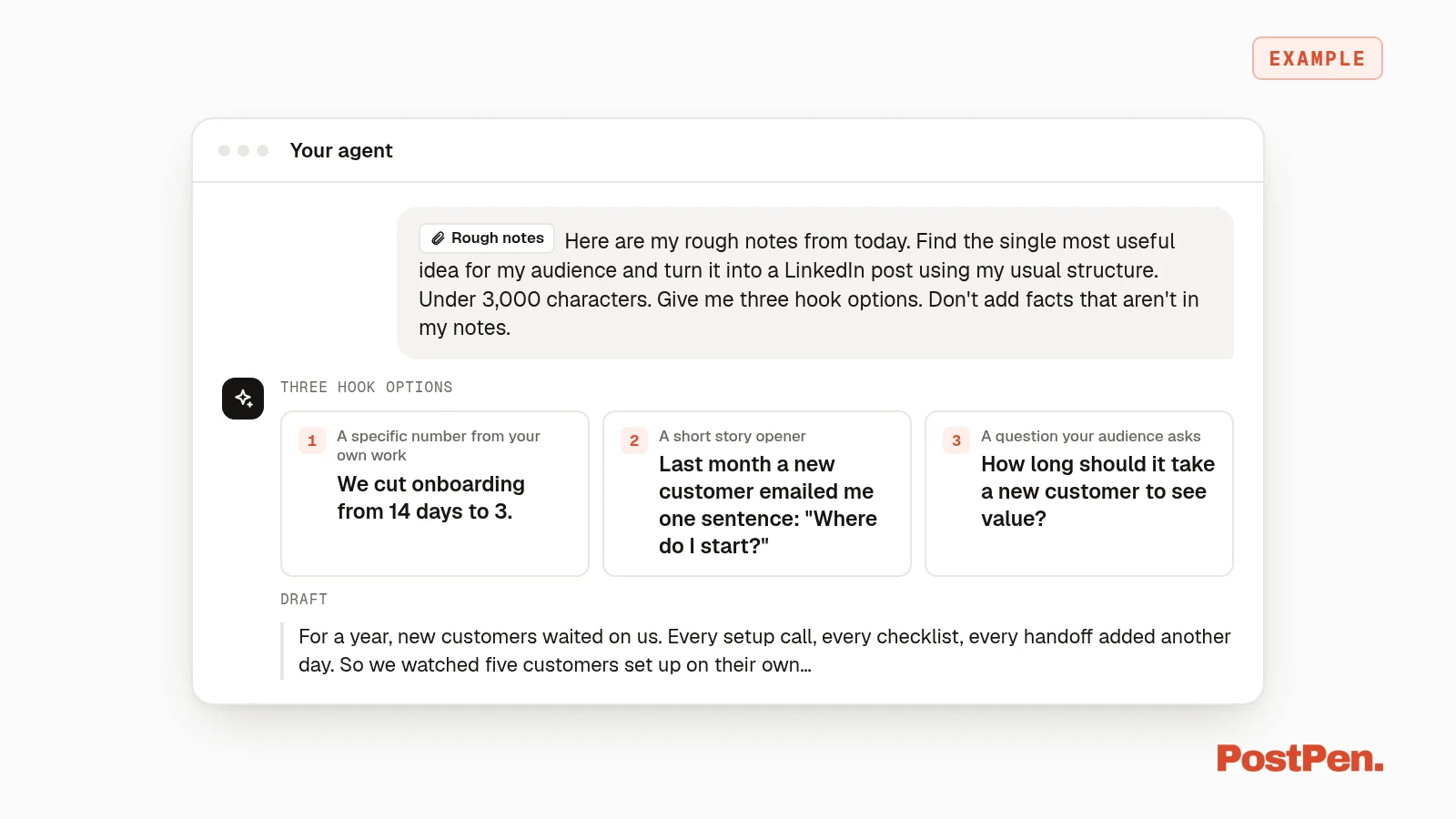
- Give me three different hook options above the draft.
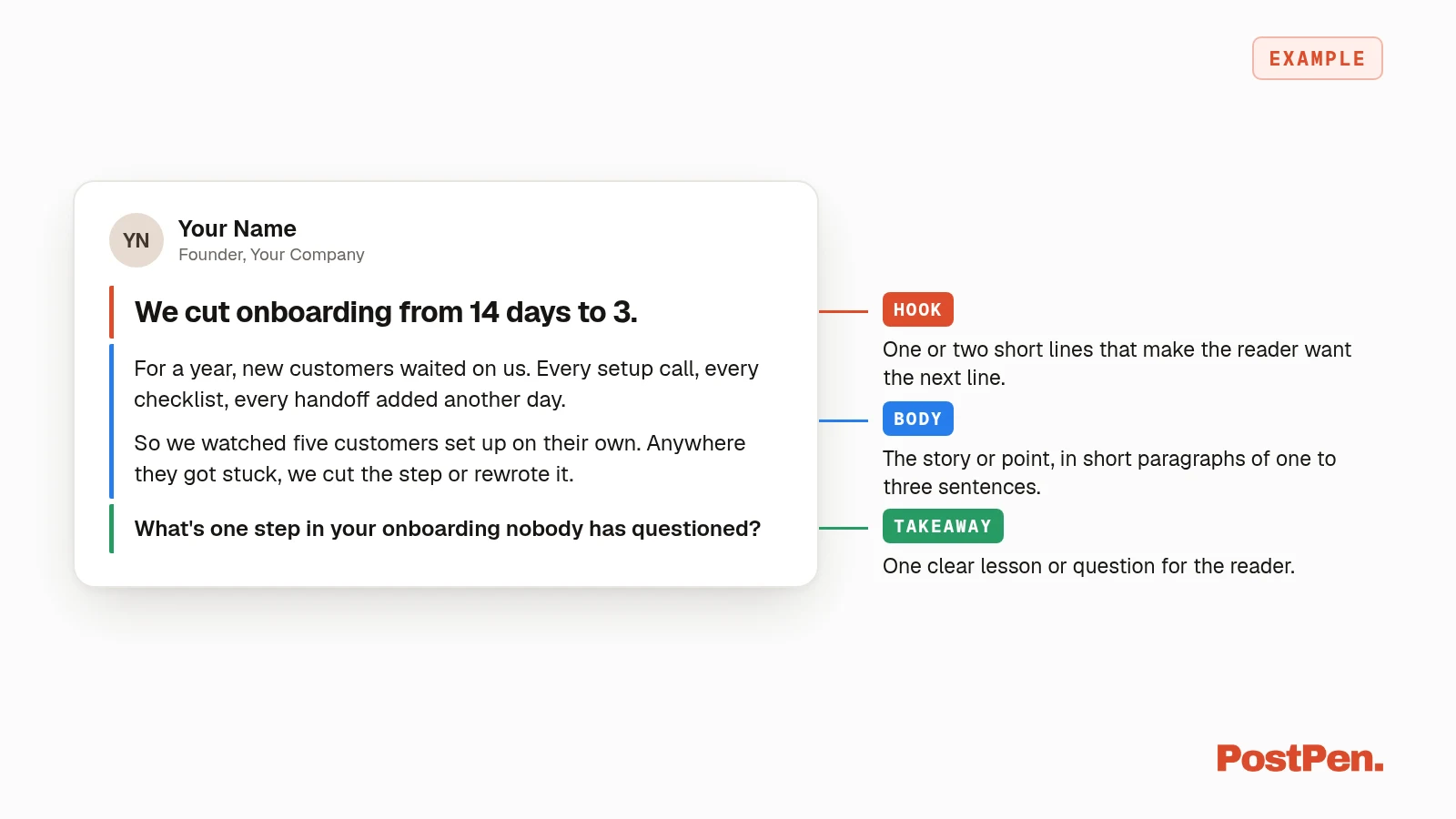
Fill in the parts in parentheses each time. If the draft comes back generic, the story or data point is usually too vague, so add more detail and run it again.
Hooks: ask for options, pick one
Your opening lines decide whether someone keeps reading. Ask your agent for several hooks and choose the one that sounds most like you.
Here are five patterns to request. They're starting points, not formulas:
- A specific number from your own work. "We cut onboarding from 14 days to 3."
- A short story opener. "Last Tuesday a customer emailed me one sentence."
- A contrarian but true statement. "Our best hire had no relevant experience."
- A question your audience asks. "How do you price a product nobody has bought yet?"
- A before and after. "A year ago I wrote every post at midnight. Now I plan them on Sunday."
Use only numbers and stories that are true for you. An example hook is a shape to copy, not a fact to borrow.
LinkedIn formatting that reads well
Start with the one hard limit. LinkedIn Help, Post and share updates, says posts can contain up to 3,000 characters, and if a post exceeds that, you can write an article instead (checked October 9, 2026).
The rest are style tips for readability, not rules from LinkedIn:
- Short paragraphs. One to three sentences, with a blank line between them.
- One idea per post. If you have three ideas, you have three posts.
- Plain text. Skip Unicode "bold" or "italic" characters copied from converter sites, and let the words carry the emphasis.
- Links. Put a link in the post, or in a first comment if you prefer the post to stand on its own.
- Few or no hashtags. A long hashtag list adds noise.
Tell your agent these rules once in your context block, and you won't have to repeat them.
Edit before you post
LinkedIn is clear about who owns the result. Its help article, Best practices for content created with the help of AI, says: "We urge you to review, edit, and approve of any content that you've used AI to assist with." It adds that "you are ultimately responsible for everything you post on LinkedIn" (checked October 9, 2026).
The same article says content "should still reflect the member's own voice, perspective, and experience." Use this checklist before anything goes out:
- Check every fact. Confirm numbers, names and dates yourself.
- Add your own example. A detail only you know makes the post yours.
- Cut filler. Delete any sentence that doesn't add something.
- Read it aloud. If a line sounds like no one you know, rewrite it.
- Disclose heavy AI use when it isn't obvious. LinkedIn recommends letting others know if you've relied heavily on AI to help create the content.
Hand the post to PostPen to schedule or publish
Once the post is final, you still need to get it onto LinkedIn. That's where PostPen comes in: the agent wrote it, and PostPen publishes it.
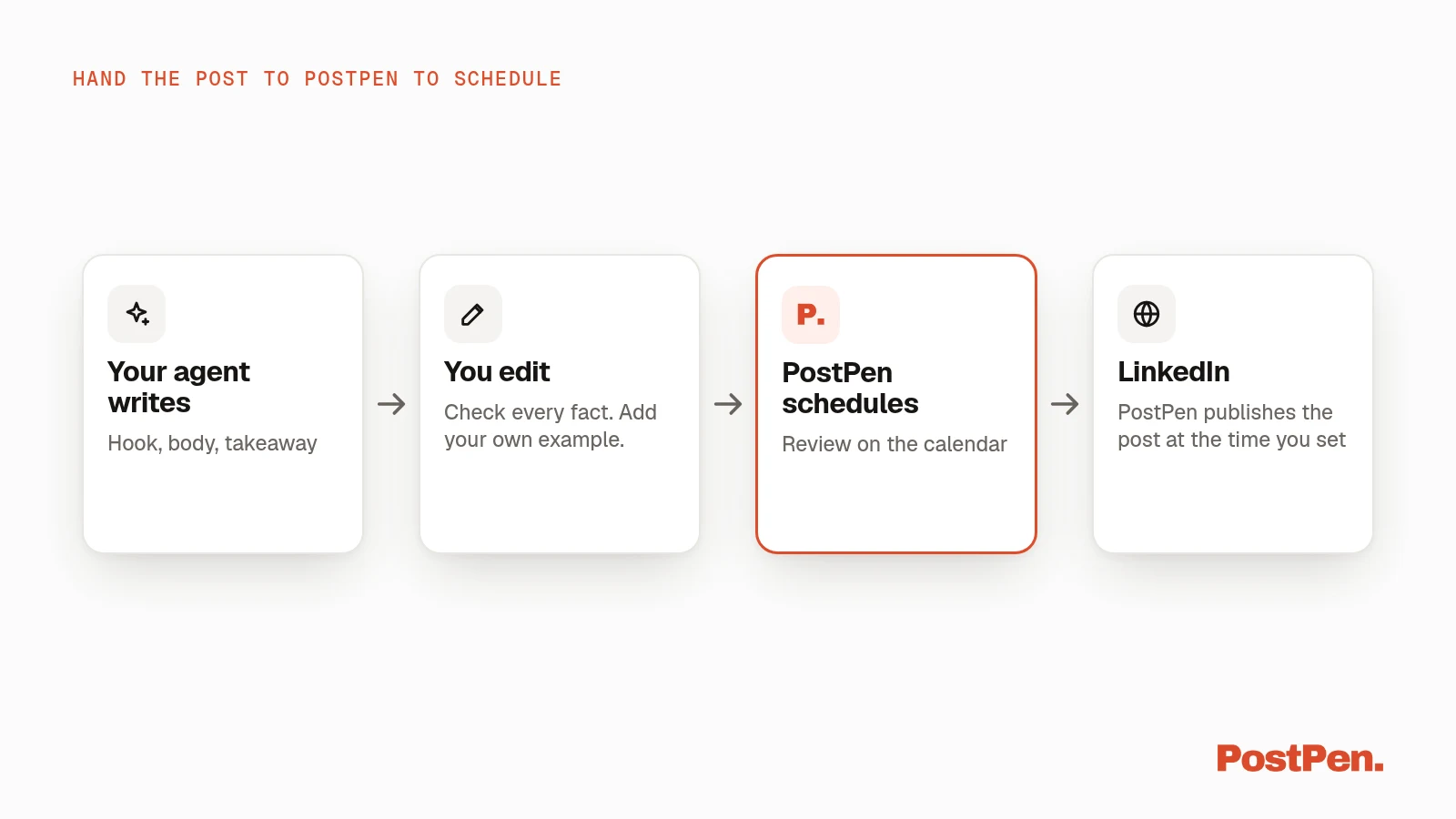
- Connect once. Connect LinkedIn in PostPen and add
https://mcp.postpen.aito your agent. The steps for each agent are in how to connect your agent. - Ask your agent. For example: "Save this as a draft and schedule it for Tuesday 9 AM."
- Review on the calendar. The post shows up on your PostPen calendar, so you can review it before it goes live.
- It publishes. PostPen publishes the post at the time you set.
Your agent can also add an optional first comment of up to 1,250 characters, posted right after the post goes live. Publishing immediately with publish_now needs an explicit confirm flag, so nothing goes live right away without your go-ahead.
See how agent scheduling works for the full flow. Bots that don't use MCP can send posts through PostPen's HTTP API instead.
Prompt library
Four prompts you can paste as they are. Each one assumes your agent already has your context block.
Turn notes into a post:
Here are my rough notes from today. Find the single most useful idea for my audience and turn it into a LinkedIn post using my usual structure. Under 3,000 characters. Give me three hook options. Don't add facts that aren't in my notes.
Turn a blog post into a LinkedIn post:
Here is a blog post I wrote. Pull out one point that works on its own and write a LinkedIn post about it, in my voice. Don't summarize the whole article. Suggest a first comment with the link to the full post.
Rewrite in my voice from samples:
Rewrite this draft so it sounds like the three sample posts in my context block. Keep the facts exactly as they are. Shorten long sentences and cut anything that sounds like marketing copy.
Plan five posts from your results:
Run get_insights for the last 30 days. From recent_posts, note which posts beat my usual and what they have in common. Then outline five posts for next week that build on that, one idea each. Save them as drafts so I can review them on my calendar.
The last prompt uses PostPen's get_insights tool, which your agent can call once PostPen is connected. Treat the results as hints, not proof: small numbers move a lot by chance.
FAQ
Can ChatGPT or Claude write LinkedIn posts?
Yes. Give them context about you, one clear idea, a structure and LinkedIn's formatting limits, then edit the draft in your own voice.
Does PostPen write my LinkedIn posts?
No. Your AI agent writes them. PostPen schedules and publishes the posts your agent hands it.
How long can a LinkedIn post be?
Up to 3,000 characters, per LinkedIn Help (checked October 9, 2026). For anything longer, LinkedIn suggests writing an article.
Is there a free way to use an AI LinkedIn post generator?
Use the AI assistant you already have to write the post. PostPen's free plan then publishes up to 10 posts a month on one personal profile; see PostPen pricing.
Should I say a post was written with AI?
LinkedIn recommends letting others know if you've relied heavily on AI to create a post and it isn't obvious from the context (checked October 9, 2026).
Write with your agent, publish with PostPen
Keep using the assistant you already trust for the writing. When the post is ready, let PostPen schedule it and publish it on time.