
LinkedIn post character limit: posts, articles and more
By PostPen Team ·
The LinkedIn post character limit is 3,000 characters, and a LinkedIn article can have up to 125,000, per LinkedIn Help. If your post runs longer, LinkedIn suggests writing an article instead. If your AI agent drafts through PostPen, the same 3,000-character limit applies: longer text is refused, so ask the agent to trim it.
Start free to let your agent save and schedule LinkedIn posts. Your agent writes the post, and PostPen schedules and publishes it.
LinkedIn character limits at a glance
Every number below comes from a LinkedIn Help page. We left out limits that LinkedIn Help doesn't state, so you won't find estimates here.
| Field | Limit | Source (LinkedIn Help, checked October 16, 2026) |
|---|---|---|
| Post | 3,000 characters | Post and share updates (a528176), Differences between posting updates and publishing articles (a522483) |
| Article | 125,000 characters | Differences between posting updates and publishing articles (a522483) |
| Note on a connection request (free account) | 200 characters | Personalize invitations to connect (a563153) |
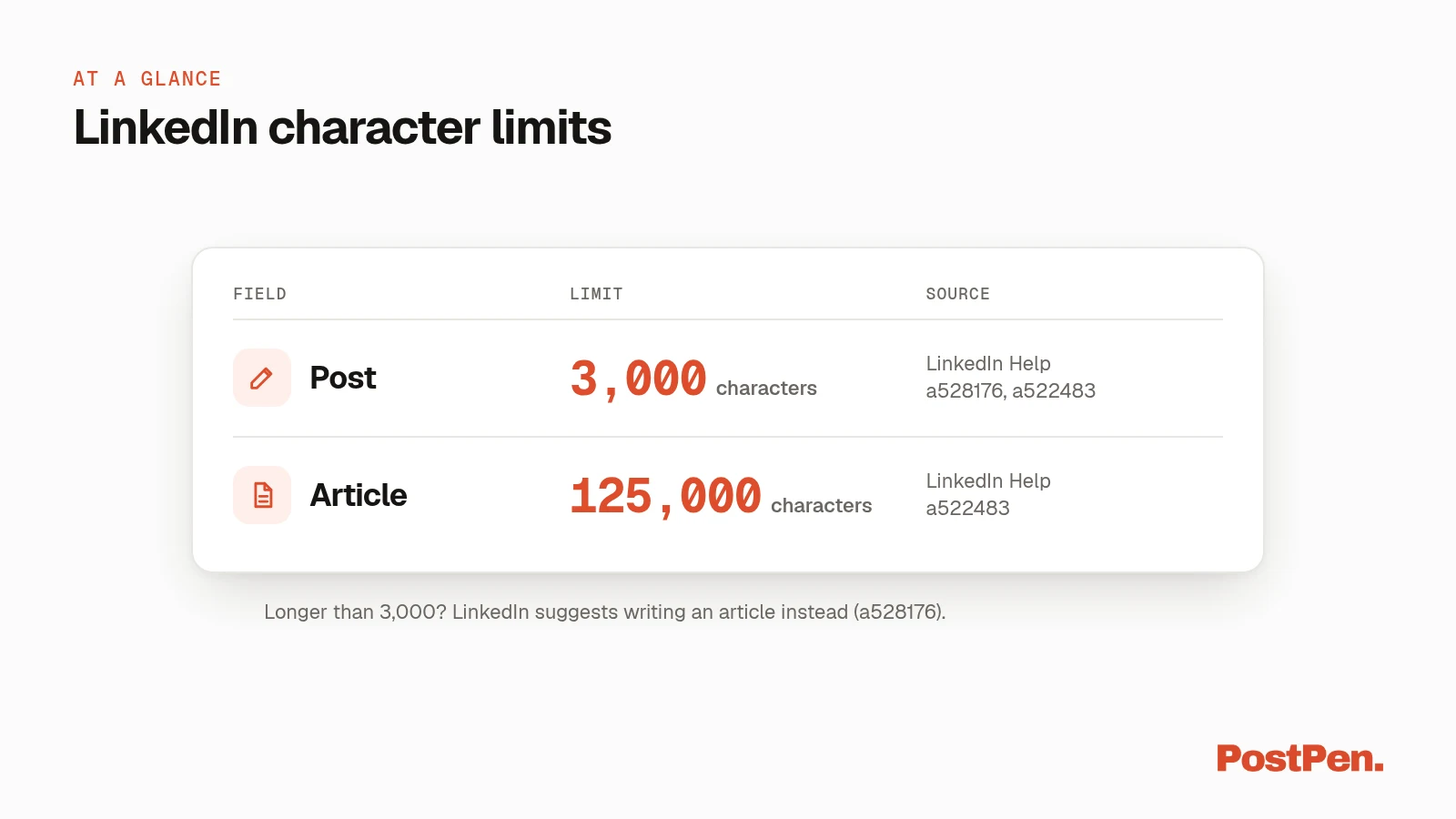
The post limit is stated twice. a528176 says "Posts can contain up to 3,000 characters," and a522483 says "The character limit for a post is 3000 characters."
The article limit comes from a522483: articles "are typically longer than posts and are limited to 125,000 characters." For connection notes, a563153 says "Each message can be up to 200 characters."
The LinkedIn Help pages we checked don't give a number for profile headlines, the About section or comments on feed posts. That's why those fields aren't in the table.
Posts vs articles
Posts and articles are two different formats, and the limit is only one of the differences. Per Differences between posting updates and publishing articles (LinkedIn Help, checked October 16, 2026):
| Posts | Articles | |
|---|---|---|
| Character limit | 3,000 | 125,000 |
| Who can publish | All LinkedIn members | All members, plus super admins and content admins of a LinkedIn Page |
| What LinkedIn says | "Broadcasted to your connections' feeds on their LinkedIn homepage" | "Typically longer than posts" |
| What it's for | "A quick way of staying connected with your community" | Publishing "about their expertise and interests" |
In short, a post is the quick update that lands in your connections' feeds. An article is the format LinkedIn offers when you need more room than 3,000 characters.
What happens when you go over
LinkedIn's own advice is to switch formats. Post and share updates (LinkedIn Help, checked October 16, 2026) says: "If your post exceeds 3000 characters, you can instead write an article using LinkedIn's Publishing Platform."
That leaves you two choices for a long draft:
- Shorten it until it fits in 3,000 characters and post it as an update.
- Publish it as an article, which gives you up to 125,000 characters.
You don't have to finish in one sitting. The same page says that if you're not ready to publish, "you can save your post as a draft and continue editing it later, including from another device."
Once the post fits, you can schedule it. Our guide on how to schedule LinkedIn posts walks through it.
Writing with an AI agent? Keep drafts under 3,000
Agents can write long. If yours drafts through PostPen, the limit is enforced when the draft is saved, not when it's published.
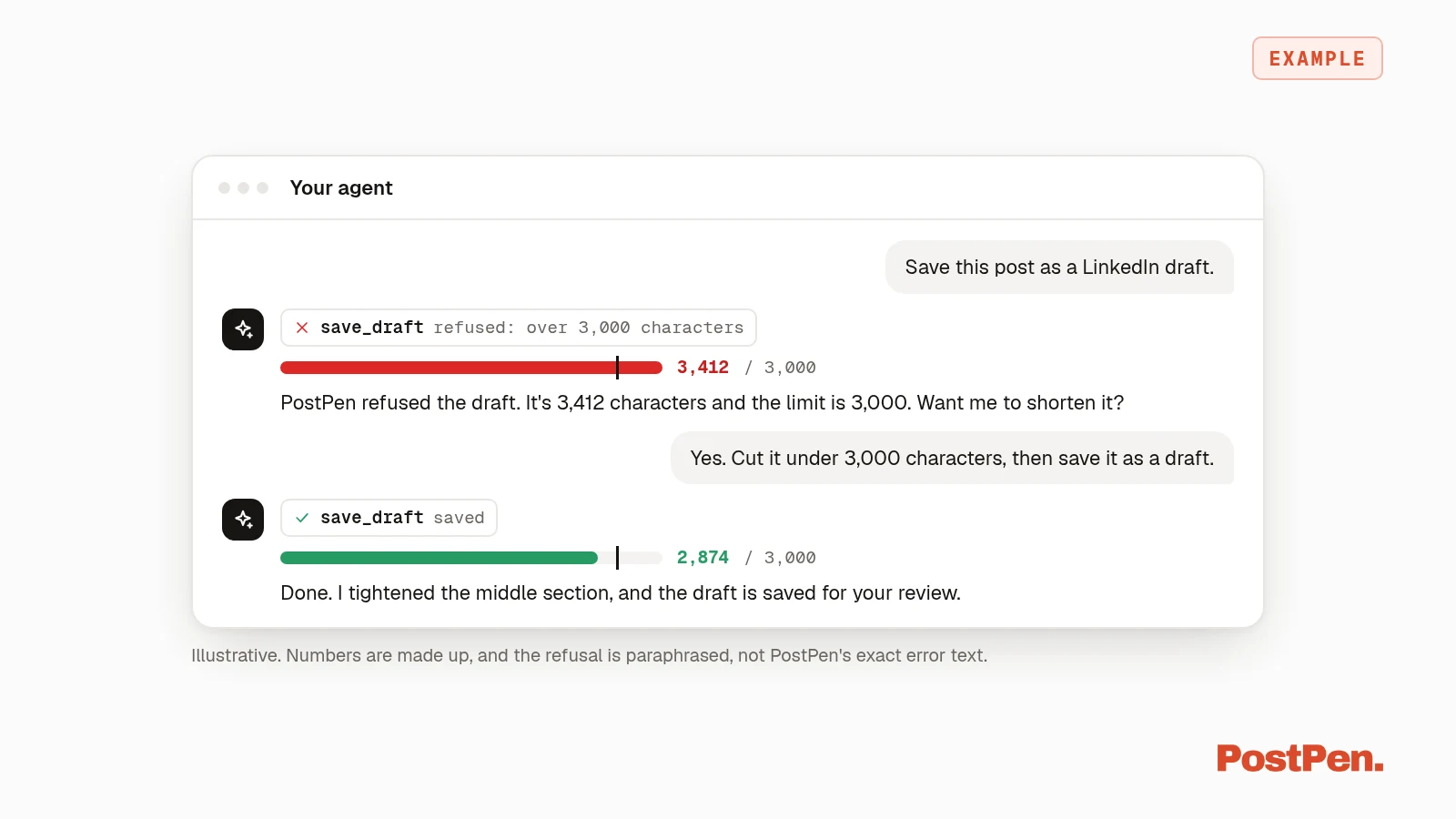
PostPen's save_draft tool takes post text "up to 3,000 characters (LinkedIn's limit; longer text is refused)." The same limit applies whether the draft is for your personal profile or a company page.
A draft that's too long is refused with an error rather than cut off without warning. PostPen doesn't shorten or rewrite your text, so your agent trims the draft and saves it again.
The simplest fix is to put the limit in your request:
Draft this LinkedIn post under 3,000 characters, then save it as a draft.
save_draft can also add a first comment, which PostPen posts as a separate comment right after the post is published. The comment is stored with the draft, not added to the post text.
Your agent writes; PostPen schedules and publishes. For help with the writing itself, see how to write LinkedIn posts with your AI agent. To connect your agent, start with the LinkedIn MCP server guide.
FAQ
3,000 characters, per LinkedIn Help.
125,000 characters, per LinkedIn Help.
Shorten it, or publish it as a LinkedIn article, which LinkedIn suggests for longer posts.
Yes. LinkedIn lets you save a post as a draft and keep editing it later, including from another device.
Through PostPen, save_draft refuses text over 3,000 characters, so ask your agent to shorten it and save it again.
Fit it, save it, schedule it
The numbers to remember are 3,000 characters for a post and 125,000 for an article. If your agent drafts for you, ask it to stay under 3,000 so the draft saves the first time.
Start free. Your agent writes the post, and PostPen schedules and publishes it.